

Twitter for Muppets
Seeing as though my friends are starting to ask me for Twitter lessons, I thought I would just do a post on the basics of Twitter for Muppets like them. I will be back with more next week, to be honest I need some breakfast and it’s already...

As most of my close brasse know I have become quite interested with the world of Twitter and the networking/social/business/sponsorship/customer relationship aspects that make it such a powerful Social Media tool! I will highly suggest to anyone who runs or owns their own brand to create a Twitter account. As I have done with my mate Donovan and his new Head wear brand Gnarley, follow them on Twitter @gnarleyheadwear!
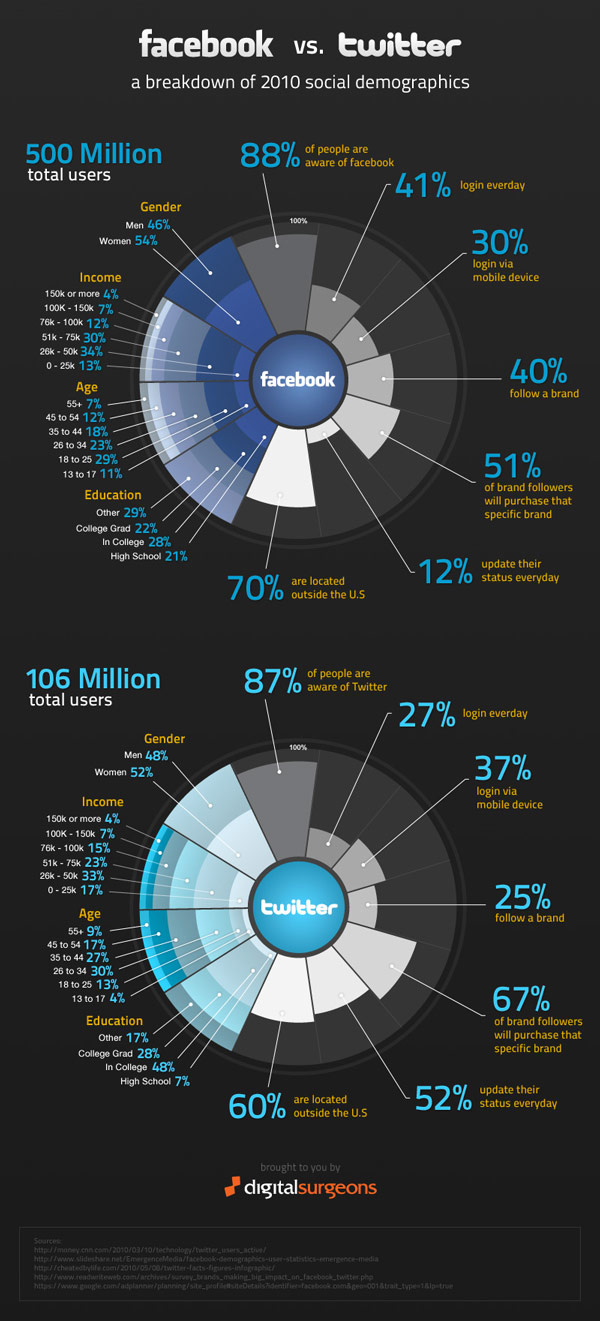
But this is where the problem lies, most people create accounts and then use them maybe once a week! If you want to set your brand apart from the rest, you need to give Twitter a bit more attention. For those of you that are interested, I have included some points below which could help you in theTwitterverse.
Your Display Name
Try to get your display name as close as possible to your personal name, your brand name or your website address. My blog is called Mr Cape Town but I was only able to get @MrCPT on Twitter. Ideally, I would not have the underscore in the name, as it is easier for people to find you if it is clear and identical to what they are searching for! A good example is someone like Charl Norman, whose Twitter name is @cn. All in lower case letters and no extras or any other kak (underscores/hyphens/symbols) to confuse people who may be looking to follow him. Oh shit, one more thing. If you are running a personal brand like I am, include your real name (Dylan Moore) alongside your Twitter display name (MrCPT). I have taken a screen grab in order for you too see what I mean!

The Timeline
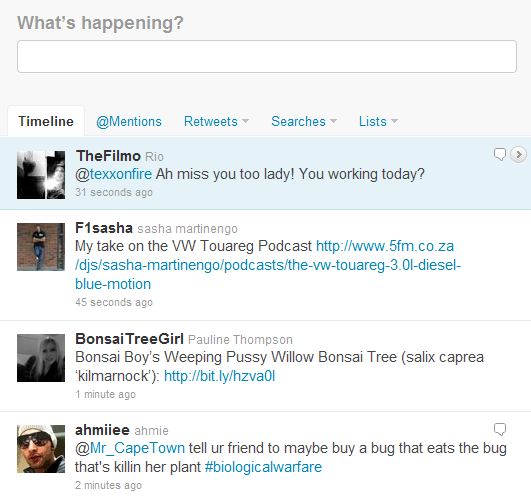
The Timeline on Twitter is basically the same as the News Feed on Facebook. It is a real time representation of what people are talking about, debating, sharing or even just joking around with others. All the people you follow/follow you will appear in this filter and anything they write will be published into your view. You can easily spot the spam dudes, because they will probably be offering you the change to make hundreds of $. They also sometimes pretend to be replying to a message and when you click on a link it send you to a dating site like Zoosk. Huge fail, block those people and stop following them immediately! The Timeline is a great place to find new, influential people to follow as people get tagged left right and centre. Yes I will get to the tagging/mentions part now, chill out 😉
@Mentions
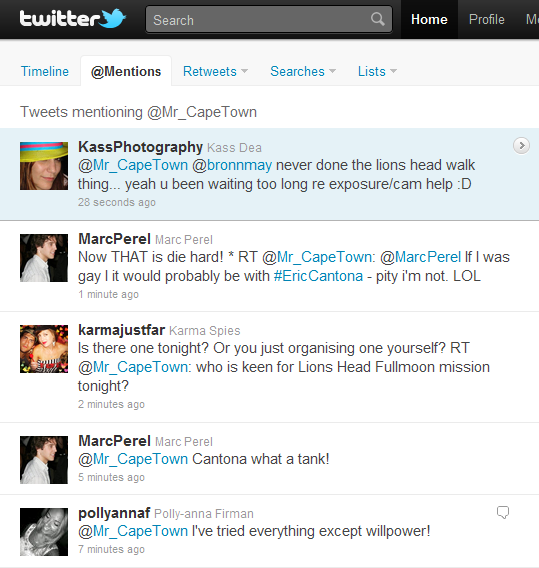
Mentioning someone or writing a message directed at them is identical to the way you do it on Facebook. You can do this by simply placing an @ sign in the front of someone’ s screen name. My screen name may be MrCPT, but if you want to send a message directly to me and want it to appear in the Timeline just add an @MrCPT to the front 😉 If you want to see all the posts which have you mentioned or tagged in them, just click on the @Mentions header next to Timeline. If you use Twitter for BlackBerry the header will just be an @ sign on it’s own. The cool part is that you can include more than one person in a message and therefore can get feedback from many people from writing just one single message! Great to unearth some consumer insights 😉
#Tags
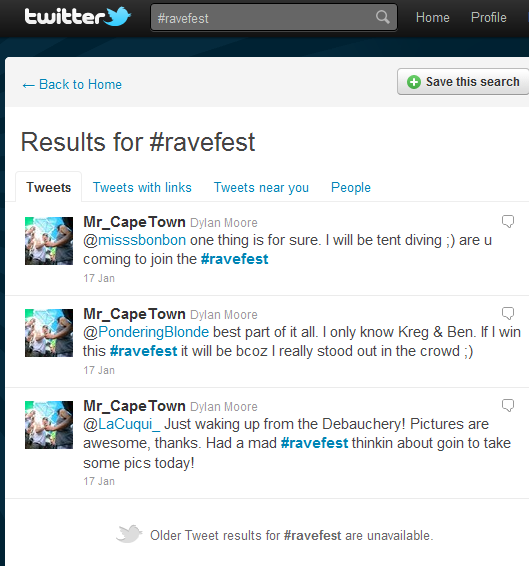
If you would like to create a category or group of sorts, this is the way to do it. Let’s say for instance I want to do a Twitter interview with @riccic about the Princess Diana’s niece saga. I would send a tweet and write a blog post alerting people about the time of the interview. Then I would say send all questions, along with this #AmeliaSpencerQuestions hash tag. Then everyone who asks something and puts that #tag will come up in the search when u click on the hyperlink it creates! Awesome for feedback regarding brand launches, interviews, customer service or even a debatable topic!
Never Ever, Ever Lie on Twitter
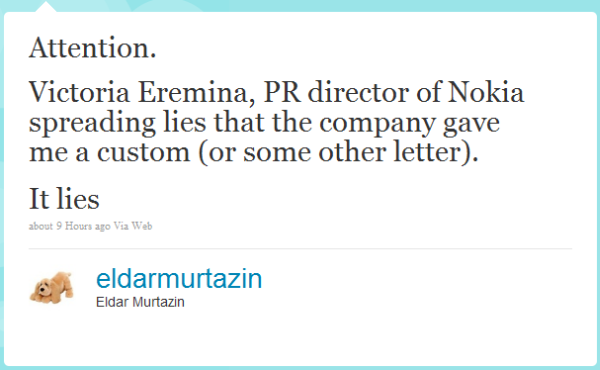
You guys can do whatever you like on Twitter, but one thing I would highly suggest NOT doing is lying. Trust me when I say this I have seen people get exposed, tuned, sworn at and harassed for lying about their brand or a specific situation! You are more likely to kill your brand by lying than anything else! People on Twitter seem to know everything about everything and if you have said something which is not entirely true and is on reasonably touchy subject, you will know about it within minutes! In saying that be yourself, be real and do not change your approach for anyone.
Engage With Opinion Leaders
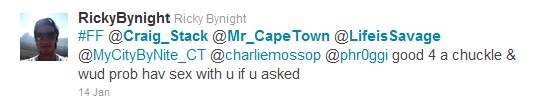
There is no point just being on Twitter and sending a few updates now and then. You need to identify who the opinion leaders are and engage in conversations with them. It can be anything at all, ask them questions, enter their competitions, comment on their blog posts, re-tweet their posts and even mention them in future blog posts/tweets as a reference. Some examples of opinion leaders which will help me grow my brand and blog. @MyCityByNight @hershybru @LifeisSavage @RickyByNight and of coarse @MrCPT 😉 This will not only help to broaden your network, but also help you gain credibility as these are all trusted and popular Twitter folk!
#FF – Follow Friday
As like anything, there are always ways which help to promote your brand name. In this case it is Follow Friday. There is basically an unwritten law on Twitter where every Friday becomes the day when you follow new people and recommend users for your followers to follow. It is the same concept as the ‘pay it forward’ initiative really. My person for this #FF will be none other than our finest @CapeTown.
I will be back next week with lesson 2 of Twitter for Muppets. I will be focusing on taking pictures and uploading them via YFrog, TwitPic and some other cool sites like www.bit.ly which shortens any URL to fit the limit of 140 characters. Other cool sites also allow you to Tweet for longer, which is great when you have quite a story to tell! I hope you enjoyed this lesson and follow me on Twitter @MrCPT when you join this extremely fast growing network! Just by the way I now think Facebook sucks winkies. You will too soon, trust me!



8 comments
Andrew · 20 Jan 2011
enjoyed the read, look forward to your next post!
Keep them coming!
Mr. Cape Town · 20 Jan 2011
shot Andrew. Only a few weeks ago I was a complete Muppet on Twitter. Didn’t know a thing!
And like most ppl I really didn’t want to learn a whole new social network platform after Facebook! But extremely glad I did as I rate it will be more influencial business/relationship wise!
Lebo · 20 Jan 2011
Interesting info. Thanks for that was dreading learning a whole new medium just like you! Don’t leave me hanging though I am waiting for the follow up!
Mr. Cape Town · 20 Jan 2011
Sweet Lebo, will do a follow up post next week. Will focus more on Re-tweeting/a little trick to shorten URL’s to fit into the 140 character limit/taking & uploading pics and hopefully lists if I can learn a bit about those in time!
Christian SEO Services · 20 Jan 2011
Hey Dylan is this a WordPress theme or custom designed?
Mr. Cape Town · 20 Jan 2011
I am currently using WordPress. Easy to use, easy to edit, pics/vids easy to upload. Cam’t complain but I do need to play around a bit with a reshuffle 😉
Shaneka · 24 Jan 2011
Impressive lines. I enjoyed it very much and it was written perfectly from another beginners perspective! awesome
Mr. Cape Town · 25 Jan 2011
thanks Shaneka, glad it helped!